
Featured Dosing Tracker
PepPal Pro
Save your calculations and follow your peptide cycle by day, week, or month.
- Peptide calendar
- Cycle tracking
- Saved calculations
Free Browser-Based Tool
For calculation and education only. Not medical advice.
Use this free peptide reconstitution, dose, syringe-unit, and BAC water calculator to find concentration and draw volume from the values you enter.
PepPal is a free browser-based peptide calculator app. Enter the amount in your vial, the BAC water volume, and your target dose. The calculator returns concentration, draw volume, and U-100 syringe units. It works on phones and desktop browsers with no download required.
This tool performs concentration and volume calculations. It does not select a dose and is not medical advice. Check the vial label, unit type, and syringe scale before relying on a result.
Quick presets
Load a common setup, then fine-tune it.
Tap any preset
Step 1
Choose syringe size.
Step 2
How many mg of peptides are in your vial?
Step 3
Dose amount per injection. 1 mg = 1000 mcg.
Step 4
Bacteriostatic water used to reconstitute your vial.
Advanced tools
Target units
Adjusts water to match your preferred draw.
Featured Dosing Tracker
Save your calculations and follow your peptide cycle by day, week, or month.
Use this general calculator for one compound in one vial. Choose a dedicated calculator when you want compound-specific presets, examples, or reference tables.
Choose the calculator that matches your vial
Calculation
One peptide in one vial
Calculation
Tirzepatide
Calculator
Calculation
Retatrutide
Calculator
Calculation
Semaglutide
Calculation
GHK-Cu
Calculator
Calculation
BPC-157
Calculator
Calculation
TB-500
Calculator
Calculation
MOTS-c
Calculator
Calculation
NAD+
Calculator
Calculation
Two or more compounds in one vial
Calculator
There is no dedicated Semaglutide calculator yet. Use the general calculator for a single Semaglutide vial.
The calculator turns three label values into concentration, liquid volume, and U-100 syringe units. Follow these steps and check each entry before using the result.
Choose 0.3 mL, 0.5 mL, or 1.0 mL. The calculator uses the U-100 scale, where 100 units equals 1 mL.
Enter the total peptide amount in milligrams (mg) as shown on the vial label.
Enter the amount of bacteriostatic water added to the vial in milliliters (mL).
Enter the target in micrograms (mcg) or milligrams (mg). One milligram equals 1,000 micrograms. The calculator uses this value for math only. It does not choose a dose for you.
Review the concentration, draw volume, and syringe units. Check that the vial amount, dose unit, water volume, and syringe scale match what you entered. For mixing steps, read the peptide reconstitution guide.
This example shows calculator math only. It is not a recommended dose. The example uses a 10 mg vial, 2 mL of BAC water, and a 250 mcg target.
Example inputs and result
Calculation field
Amount in vial
Example value
Calculation field
BAC water added
Example value
Calculation field
Target dose
Example value
Calculation field
Final concentration
Example value
Calculation field
Required draw volume
Example value
Calculation field
U-100 syringe units
Example value
Math: 10 mg ÷ 2 mL = 5 mg/mL. Then 250 mcg ÷ 5,000 mcg/mL = 0.05 mL. On a U-100 syringe, 0.05 mL equals 5 units.
A U-100 syringe contains 100 units per milliliter. After the calculator finds the draw volume in milliliters, multiply that number by 100 to get the matching syringe units. Syringe units measure liquid volume, not peptide weight, so the amount in each unit depends on the vial concentration.
U-100 syringe unit conversion
U-100 syringe units
1 unit
Liquid volume
U-100 syringe units
2.5 units
Liquid volume
U-100 syringe units
5 units
Liquid volume
U-100 syringe units
10 units
Liquid volume
U-100 syringe units
20 units
Liquid volume
U-100 syringe units
30 units
Liquid volume
U-100 syringe units
50 units
Liquid volume
U-100 syringe units
100 units
Liquid volume
Syringe units measure volume, not peptide weight. The same number of units can contain a different dose when the vial concentration changes.
Milligrams and micrograms measure peptide weight. Milliliters and syringe units measure liquid volume. Concentration links the two. That is why the same syringe-unit mark can hold a different amount when the vial or water amount changes.
Use a dedicated calculator when your compound has its own page. Those pages hold the detailed presets, vial tables, examples, and FAQs. Use this page for other single-compound vials.
Use the dedicated page for Tirzepatide vial options, reference tables, and example math.
Open the Retatrutide page for Reta-specific vial options and calculation examples.
Use the BPC-157 page for compound-specific presets and reference math.
Use the GHK-Cu page for its common vial sizes and calculation examples.
Use the TB-500 page for compound-specific presets and draw-volume math.
Open the MOTS-c page for its dedicated inputs and example calculations.
Open the NAD+ page for its dedicated calculator and unit guidance.
Use the stack calculator for two or more compounds in one vial, including named blends.
Browse the calculator directory for every tool that is currently available.
If you are preparing a vial, use this checklist after you finish the calculator steps. Check every product label and supplier page before ordering.
PEPPAL applies to eligible Peptide Partners checkout links when supported by the supplier.
Why choose Peptide Partners?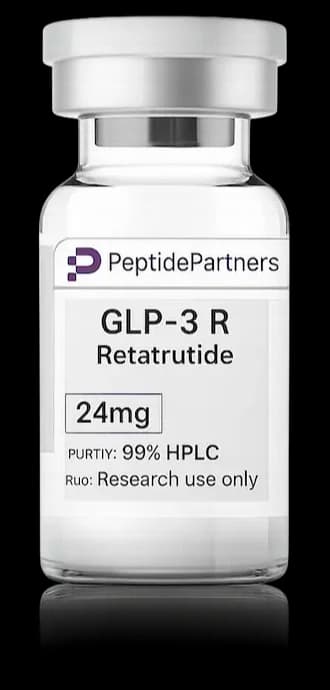
Disclosure: supply links may earn PepPal a commission at no cost to you.
Match the supplies to the values and scale used in your calculation.
Vial amount
The milligram amount on the label must match the amount entered in the calculator.
Water volume
Check the milliliter amount you plan to add before using the result.
Syringe scale
This calculator uses U-100 syringe units. Check the scale printed on your syringe.
See the full peptide injection supplies guide for the complete checklist.
PepPal reviews supplier testing records, documents, shipping details, and support. Supplier links are separate from the calculator math above.
Before ordering, check the vial label and read the guide to reviewing a peptide COA. Supplier links may earn PepPal a commission at no added cost to you.
PepPal is a free browser-based peptide calculator app. It calculates concentration, draw volume, and U-100 syringe units without requiring an account or software download.
PepPal works in modern mobile browsers on iPhone and Android devices. Open the calculator in your browser and enter the vial, water, and target-dose values.
No. The calculator runs in your browser. No download is required for the free calculator.
It handles both parts of the calculation. Enter a target dose, and PepPal calculates the matching liquid volume and U-100 syringe units.
Use the dedicated Tirzepatide calculator for Tirzepatide-specific vial options, reference tables, and examples. Use the general calculator for other single-compound vials.
On a U-100 syringe, 10 units equals 0.10 mL.
No. Syringe units measure liquid volume. Milligrams and micrograms measure compound weight. The amount of compound in each syringe unit depends on the concentration.
Yes. Enter the total amount listed on the vial and the amount of BAC water added. The calculator uses those values to calculate the concentration.
No. The tool only performs concentration and volume math. It does not choose a dose and is not medical advice. Check the vial label, unit type, and syringe scale before using a result.
Preferred supplier
Peptide PartnersNeed peptides? Start with a verified supplier.
PepPal's recommended source with current discount access and established testing standards.